
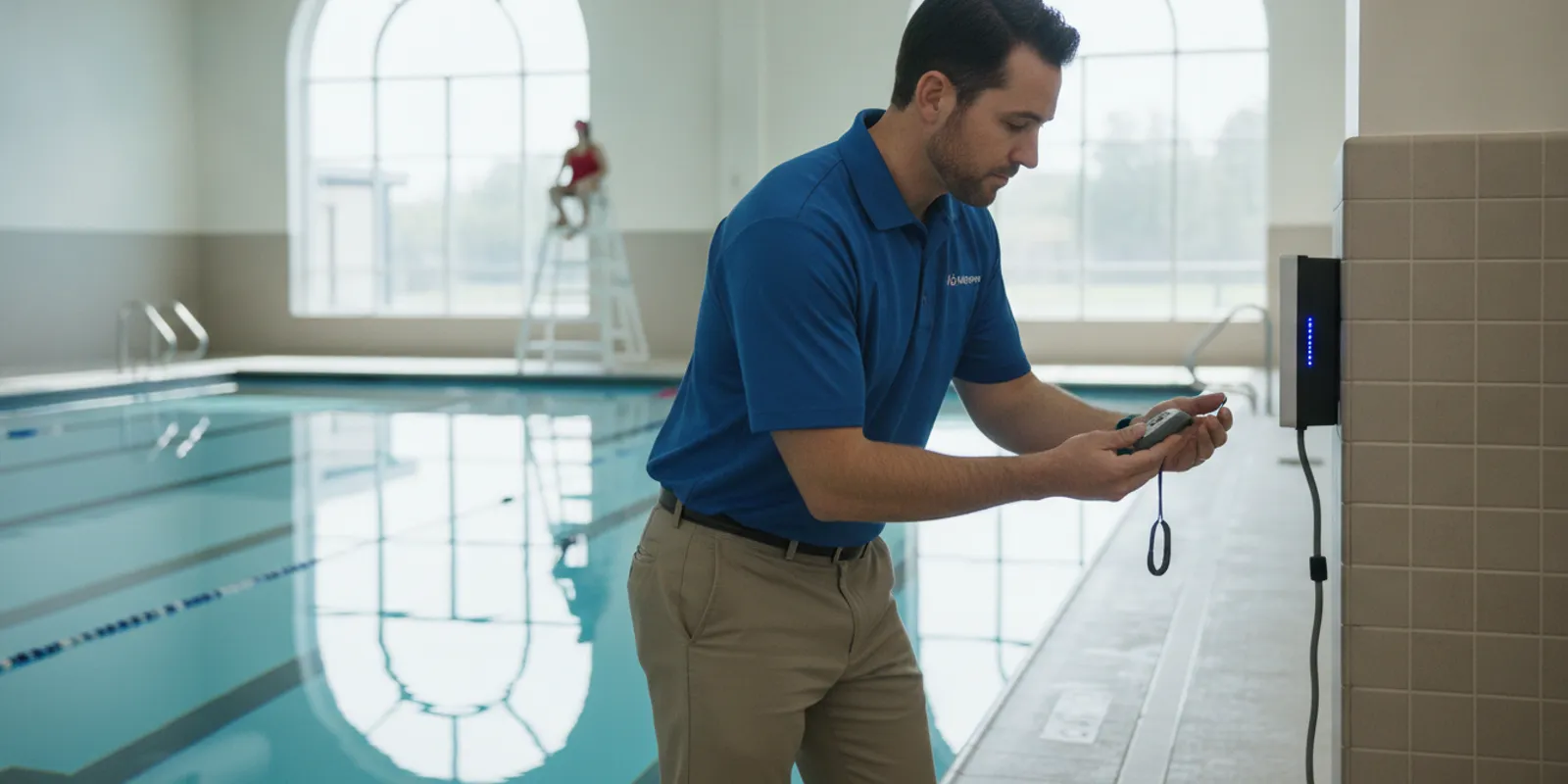
Quick answer: Pool safety alert system maintenance means inspecting equipment, testing the alert route end to end, confirming staff know their roles, and recording the results. Include coverage in each check: WAVE's GUARDian Hub is rated for 700+ feet, so walk a wearable to your farthest zone and confirm the alert still reaches lifeguards.
Pool safety alert system maintenance is not just a matter of checking whether a device powers on. Aquatics directors need a repeatable routine that verifies equipment condition, alert delivery, staff response, and recordkeeping while keeping lifeguards at the center of supervision.
These checks apply to a facility's broader alert workflow, whether it uses wearable sensors, access alarms, or other safety equipment. Follow the manufacturer's instructions for the specific product, and coordinate maintenance with your facility's emergency action plan and applicable local requirements.
What should pool safety alert system maintenance cover?
A reliable maintenance routine checks the whole path from device readiness to staff action. Inspect equipment, test the alert route, confirm that assigned staff know what to do, and record the result. A working component alone does not prove that the full response process is ready.
Pool alerts are part of an operating system that includes people, procedures, and equipment. For a wearable drowning-detection system, that means checking the swimmer wearables and staff alert devices as well as the central equipment and the facility alerts. It also means confirming what staff should do when an alert arrives.
Start by listing every component and its purpose. Record which devices are assigned to swimmers, which are used by lifeguards, where the central hub or monitoring equipment is located, and how alerts reach staff. The GUARDian Hub information can help a facility understand the role of the central system; use product-specific setup and service documents for exact checks. Give every portable component a unique identifier or another clear way to distinguish it. The list should answer basic questions without guesswork: how many devices are expected at the site, where each one is normally stored, which team role uses it, and who checks it in and out. A simple inventory also helps staff notice when a device is missing before opening rather than during a response. Review it whenever seasonal staffing or programs change.
Maintenance should not be treated as proof that equipment is ready for every situation. Technology can provide an additional layer of protection and support lifeguards, but it cannot replace active supervision, trained responders, or an emergency action plan. Facilities should continue to follow their established lifeguard coverage and applicable health and safety requirements.
How can a facility build a practical inspection schedule?
Use a schedule that assigns a clear owner and a defined check for each interval. A quick pre-opening check catches visible or assignment problems; periodic functional tests and deeper reviews reveal issues that a visual scan can miss. Adjust the cadence to the manufacturer's directions, pool operations, and local requirements.
A schedule is useful only when it fits the real workday. Assign a named role, such as the opening lead or aquatics supervisor. Rather than relying on "someone on shift," identify a backup for absences and explain where staff can find the checklist. Keep routine checks short enough to complete consistently, then reserve dedicated time for full functional tests and training.
The intervals below are a planning framework, not a substitute for the device manufacturer's maintenance schedule or a local code requirement. A facility may need additional checks after a device is dropped, exposed to water outside its rated use, moved, repaired, or involved in an alert event.
| Interval | Suggested focus | Who should own it | Record |
|---|---|---|---|
| Before opening or shift handoff | Visible condition, correct assignment, charge or readiness indicators when applicable, and availability of the alert route | Opening lead or designated staff member | Quick checklist and exceptions |
| On the schedule set by the manufacturer and facility | Functional test of representative devices and the complete alert path, using an approved test method | Trained supervisor or equipment owner | Test date, devices tested, result, and follow-up |
| At regular team training intervals | Staff recognition of alerts, communications, escalation, and response roles | Aquatics director or training lead | Drill date, attendance, lessons, and corrective actions |
| After an incident, fault, repair, or change | Inspection and any required retest before the equipment returns to service | Supervisor with vendor or technical support as needed | Issue, decision, repair, retest, and approval |
Use the table as a starting point and fill in exact intervals from the applicable product documentation and facility policy. If your existing checklist already covers related pool equipment, add alert-system checks there rather than creating a separate form that staff may overlook. The WAVE support resource is an appropriate place to look for assistance with questions about WAVE equipment and support.
Which devices and wearables need attention?
Inspect each type of equipment according to its role. Look for visible damage, secure closures, clean and dry contact points where required, and correct assignment. Check battery or readiness indicators using the product's instructions, and remove questionable equipment from service until it has been assessed.
Make a device inventory that uses names or asset identifiers staff can recognize. Include swimmer wearables, lifeguard tags or alert devices, speakers or sirens, the hub, tablets, and any other components in the facility's alert workflow. Note where each item is stored, who checks it, and how staff report a problem. Avoid relying on a single employee's memory of which device belongs to which role.
For wearable equipment, inspect the exterior for cracks, loose parts, damaged straps, or other signs of wear. Confirm that closures fit as intended and that the device is assigned according to facility procedure. Follow product directions for cleaning, disinfection, water exposure, storage, and battery checks. Do not improvise charging or cleaning methods; use only the methods the manufacturer approves.
Battery life and charging needs differ among products. A non-tethered AquaSense wearable is described as having a multi-year battery and not requiring daily recharging. The facility should still follow its current product guidance for battery status, inspection, and replacement. Do not treat a stated battery lifespan as a reason to skip readiness checks. The same principle applies to other parts of the system: use their actual indicators and instructions rather than assuming every device operates the same way.
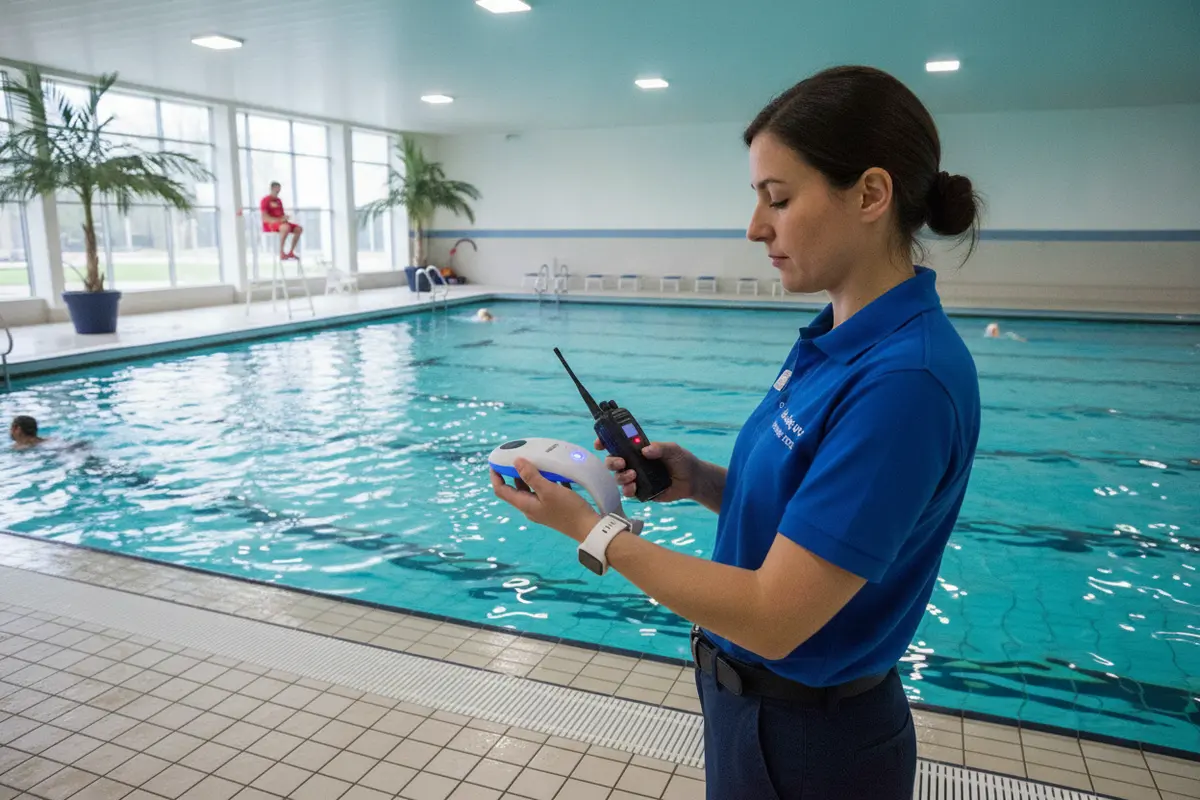
Keep a small quarantine area or clearly marked process for equipment that fails inspection. Staff should know not to return a damaged or uncertain device to active use simply because a shift is busy. Record the device identifier, the observed issue, when it was removed, and who is responsible for next steps. If a replacement or vendor review is needed, document the interim coverage plan through the facility's normal procedures.
Facilities comparing the role of different wearable components can review information about swimmer equipment and lifeguard equipment. Those pages provide product context; the exact maintenance steps still depend on the relevant instructions and configuration.
How should teams test alerts and response paths?
Test the full chain, not only an individual button or wearable. Use the approved test method to confirm that a signal reaches the intended staff. Confirm that the alert is recognizable in the operating environment and that the team follows its assigned response. Clearly distinguish tests from real emergencies.
A device can appear ready while a communications step is unclear. A meaningful functional test traces an alert from the initiating component through the equipment and to the person expected to receive it. Depending on the system and approved test procedure, this may involve checking a wearable, a central unit, a vibrating staff alert, or a facility notification. Never create a simulated emergency in a way that could be mistaken for a real one.
Before testing, tell affected staff what is being tested, who is leading it, how the test will be identified, and how it will end. Keep swimmers and routine operations in mind. If the test could disrupt normal supervision or confuse a response, schedule it when staffing and conditions allow. Follow vendor guidance; do not trigger a live alert unless the instructions explicitly permit that test method.
Verify these steps in order:
- Prepare: identify the test devices, test lead, observers, and an approved way to stop or reset the test.
- Initiate: use only the procedure recommended for the equipment. Record the device or location involved.
- Receive: confirm the expected staff member notices the alert and can identify the source or meaning as designed.
- Communicate: have the team use its normal radio, verbal, or other communication protocol to coordinate next steps.
- Close out: restore equipment to its ready state, confirm any reset, and document failures or unusual behavior.
For WAVE, the system is intended to support lifeguard response with wearable sensors that detect prolonged submersion or lifeguard water entry and alerts that can reach staff through vibrating bracelets and facility alerts. Confirm how those functions are configured at your site and build the test around the specific equipment, staffing plan, and instructions. Facilities can begin with the Getting Started with WAVE page or ask support about the current test procedure.
Also include periodic scenario practice. A drill should make staff rehearse what they do after receiving an alert, not just acknowledge that the alert sounded. Use realistic but controlled scenarios, clarify who maintains observation of the rest of the pool, and review communication and escalation. Technology must fit into the facility's emergency action plan rather than create a separate response that competes with it. After each drill, ask participants what they heard or felt, whether they understood the alert, and whether the next action was clear. Record any confusion and assign a specific follow-up, such as clarifying a radio phrase, revising a shift briefing, or repeating a training step. Retest the relevant part of the workflow after a meaningful change. The purpose is to learn whether people and equipment work together under the facility's real conditions, not to give the team a pass-or-fail score.
What changes should trigger a maintenance review?
Recheck the system whenever equipment, staffing, or the operating environment changes in a way that could affect alert delivery or response. A move, repair, failed test, incident, or change in team roles is a reason to verify the relevant parts of the workflow and update records before relying on the revised setup.
Facilities change over time. A pool may add a new operating zone, move the check-in point, change staff communication practices, or introduce a different mix of programs and swimmers. A wearable may be replaced or reassigned. A system component may be relocated during renovation or seasonal setup. Each change can affect who receives an alert or what that person is expected to do.
Use a change review that asks practical questions: Did the equipment move? Does the device inventory match what is on site? Are the alert recipients and roles still correct? Does the team know the current response steps? Has any test or instruction changed? If a staff member cannot answer these questions, pause and resolve the gap before treating the revised arrangement as routine.
Access alarms and wearable drowning-detection systems serve different functions. The U.S. Consumer Product Safety Commission's Safety Barrier Guidelines say doors that allow access to a swimming pool should have an audible alarm that sounds when the door or screen is opened. That guidance addresses barrier and access alarms; it does not establish maintenance intervals for commercial wearable alert systems. It is a useful reminder that access alerts are a separate layer and should be maintained under their own applicable instructions and requirements.
Do not apply a barrier recommendation as though it were a commercial facility code. Check your jurisdiction's current requirements and the relevant equipment documentation. Keep the distinction clear in the asset list so staff do not assume that one alarm type covers another safety function.
How can documentation make maintenance useful?
Keep records concise, consistent, and actionable. Each entry should show what was checked, the result, who completed it, and what happened when something was wrong. A record is most valuable when supervisors can spot recurring issues and confirm that corrective work and retesting were completed.
A checklist should help a supervisor make a decision, not just produce a signature. Record the date and time, facility or pool area, equipment identifiers, test method, outcome, person completing the check, and any follow-up owner. If a check was skipped, say why and when it will be completed. Avoid recording that "system OK" without indicating what was actually checked.
For a failed test or damaged device, capture the issue in plain language. Note whether the component was removed from service, who was notified, and the temporary procedure used while the problem was addressed. When the repair or replacement is complete, record the return-to-service test and who confirmed readiness. Follow the facility's record retention, privacy, and incident reporting policies.
Review records on a regular schedule for repeated problems. Several failures involving the same device, repeated missed checks on one shift, or a pattern of staff not recognizing an alert may point to a process issue rather than a one-off event.
Use the review to assign corrective action, set a due date, and confirm completion. Avoid collecting swimmer information that is not needed for maintenance records.
- Compare completed checks with the schedule.
- List unresolved issues and assign each one an owner and next step.
- Look for process gaps, such as unclear handoffs or an inaccessible checklist.
- Update the procedure when a recurring obstacle is identified, then tell affected staff what changed.
Keep older versions according to the facility's record policy so supervisors can tell which procedure was in force on a given date.
Facilities can compare their written procedure with the existing WAVE FAQ, service guide, and the current pricing and plan information when questions involve support or service scope. Confirm details directly when current terms or configuration matter; do not infer warranty coverage or response times from an old checklist.
How does maintenance support lifeguard-led safety?
Maintenance supports safety when it keeps the alert layer available and makes staff response familiar. It does not transfer responsibility away from lifeguards or remove every risk from an aquatic environment. Pair equipment checks with active supervision, clear coverage, staff training, and a practiced emergency action plan.
Aquatic staff should understand the alert's role before an event occurs. Explain what the system is intended to detect, which people receive notifications, what action follows, and how the team communicates while maintaining supervision of everyone else. A new device should be incorporated into onboarding and shift briefings, not left for staff to discover during a busy session.
WAVE's wearable, wireless approach is designed as an additional support layer in supervised aquatic environments. It is distinct from camera systems and does not require a facility to treat technology as a replacement for a lifeguard. Where a facility has no dedicated lifeguard, do not describe the alert layer as equivalent to lifeguard supervision. Plan for rapid staff notification and response within the facility's actual operating model.
Use maintenance reviews to check whether the procedure still supports the team: Are alert duties assigned during breaks and shift changes? Do staff know how to distinguish a test from an operational alert? Is there a clear escalation path if the primary recipient is unavailable? Can the team keep supervising the remaining area while responding? These are operational questions for facility leadership to resolve through staffing and procedures, not through equipment alone.
To consider how the equipment could fit your site's workflow, start with the available WAVE product information and the facility safety tools guide. Evaluate each option against your own pool layout, supervision plan, staff training, and equipment documentation.
Frequently Asked Questions
Use these answers as general planning guidance, then confirm exact maintenance steps with the product instructions and local requirements. A facility's written procedure should identify a responsible person, an approved test method, and a clear response when a check fails.
How often should a pool safety alert system be tested?
There is no universal interval that applies to every product and facility. Follow the manufacturer's directions, applicable regulations, and facility policy. Set a documented routine for readiness checks and functional tests, and repeat relevant checks after a fault, repair, relocation, or other change.
Can staff test a wearable by triggering a live alert?
Only if the manufacturer's instructions explicitly describe that as an approved test method. Otherwise, use the specified test procedure and tell affected staff when a test is underway. A test should never be allowed to create confusion about whether a real emergency is occurring.
Do wearable devices need daily charging?
Charging requirements depend on the product. WAVE describes AquaSense as a non-tethered wearable with a multi-year battery and no daily recharging requirement. Staff should still follow current instructions for readiness checks and battery status. Do not assume another brand or device has the same battery design.
What should a facility do if an alert device fails inspection?
Follow the facility's procedure to remove or mark the device as unavailable, notify the responsible supervisor, and document the issue. Arrange repair or replacement as directed by the manufacturer, and complete any required test before returning the device to active use. Maintain supervision and use the facility's established interim procedures.
Does an alert system replace lifeguards?
No. WAVE positions its technology as an additional layer that supports lifeguards. Facilities still need appropriate supervision, trained staff, clear procedures, and an emergency action plan. Do not describe an alert as preventing or detecting every incident.
Should access-door alarms be included in the same maintenance checklist?
They can be listed in the facility's equipment inventory, but treat them as a separate function with their own instructions and applicable requirements. A door alarm does not perform the same role as a wearable submersion-detection system, so do not assume testing one verifies the other.
A documented maintenance routine helps staff keep the alert equipment, response steps, and lifeguard practices aligned as facility operations change. Review it regularly, correct gaps promptly, and continue to treat technology as support for, not a substitute for, active supervision.
