
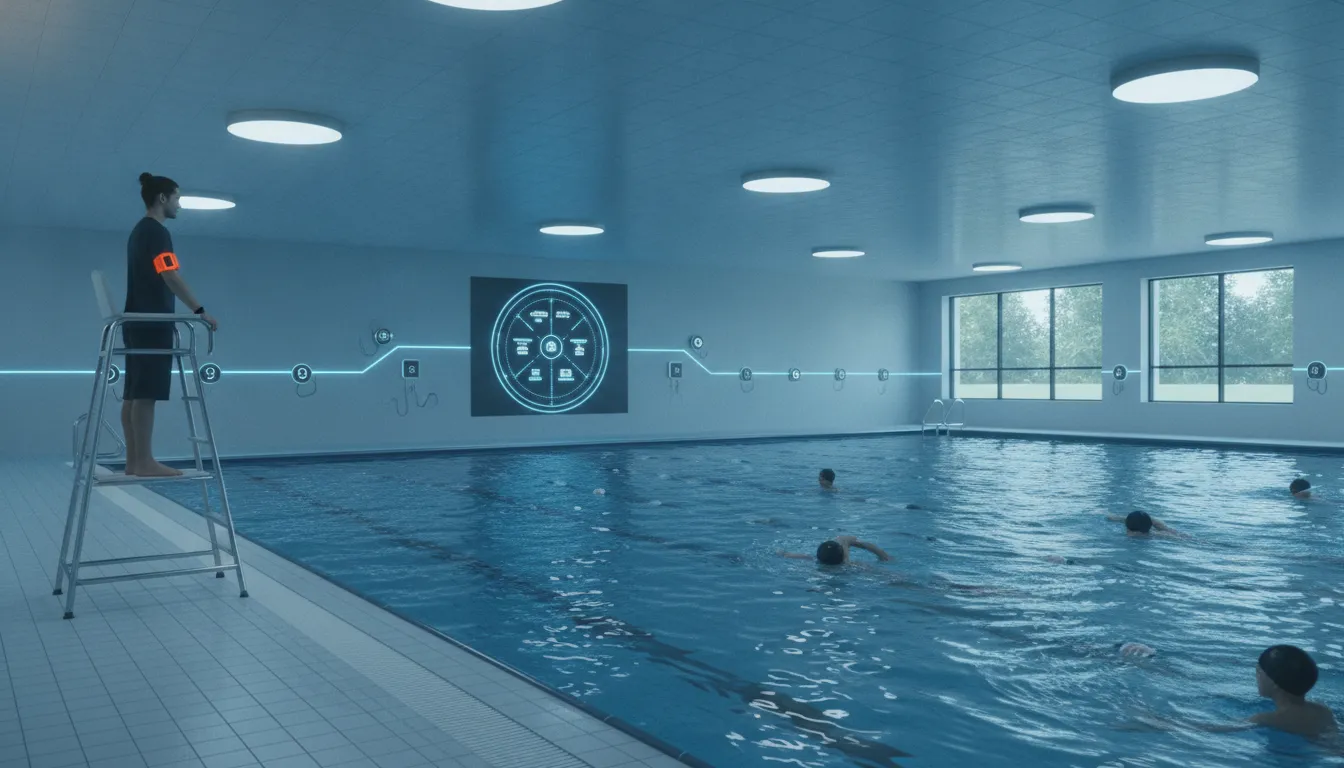
A school pool drowning detection system gives trained staff another way to recognize a possible emergency and coordinate a fast response. For administrators and aquatics leaders, the most useful system is not one that promises to replace lifeguards. It is one that fits the school's pool, programs, staffing model, and emergency action plan while adding another layer of swimmer protection.
The evaluation should cover more than detection alone. School leaders need to understand how alerts reach staff, what swimmers and guards must wear, how the system is tested, and what happens after an alert. They also need a clear plan for training, daily checks, maintenance, and incident review.
This guide explains the key questions to ask before choosing technology for lessons, team practice, physical education, open swim, and other supervised school aquatic programs.
What is a school pool drowning detection system?
A school pool drowning detection system is technology designed to help supervised aquatic teams identify a possible prolonged-submersion event and alert staff. The system acts as a force multiplier for lifeguards. It does not take over active surveillance, rescue decisions, emergency care, or any other duty assigned to trained staff.
Detection and response are different jobs
Detection technology looks for a defined signal or condition. The response still belongs to people. When an alert occurs, guards must locate the swimmer, assess the situation, enter the water when needed, and follow the school's emergency action plan. Other staff may need to clear the pool, call emergency services, bring rescue equipment, or meet responders.
That distinction matters during procurement. A strong proposal should explain both what triggers an alert and how that alert helps people act. It should never rely on claims that a device can prevent every incident or guarantee swimmer safety.
Common technology approaches
Pool detection systems generally use cameras, wearable sensors, or a mix of technologies. Camera systems analyze images from above or below the water. Wearable systems use sensors assigned to swimmers or staff and communicate with a central hub. Each approach has different needs for installation, visibility, user participation, and daily operation.
WAVE uses a wearable, wireless approach. AquaSense swimmer wearables track submersion, while lifeguard tags can signal that a guard has entered the water. The GUARDian Hub connects these devices to staff bracelets and facility alerts. Learn more about the GUARDian system and alert workflow.
How should schools evaluate drowning-detection technology?
Start with the school program, not a product checklist. A varsity practice has different movement patterns from beginner lessons. A busy open-swim session has different supervision needs from a small adaptive aquatics class. Document who uses the pool, how sessions overlap, which areas are hard to see, and how staff currently communicate.
Coverage and operating conditions
Ask vendors to explain how the technology works across the entire body of water. Include shallow and deep areas, starting blocks, lane configurations, glare, low light, and any places where sightlines are limited. If the school also runs supervised programs in dark or murky water, confirm whether the proposed approach can operate in those conditions.
A wearable system does not depend on a camera's view of the swimmer. That can make it useful where lighting, glare, or water clarity creates challenges. The tradeoff is that each participating swimmer must use the assigned wearable as directed.
Alerts that staff can understand
An alert is only useful when the right people notice it and know what it means. Ask whether alerts are silent, vibrating, visual, spoken, or audible. Determine who receives the first notification and whether the system can alert more staff if a rescue is underway.
School leaders should test alerts during realistic noise and activity levels. A signal that seems clear in an empty pool may be harder to notice during practice, a meet, or a crowded lesson block.
Comparison of practical considerations
| Evaluation area | Wearable, wireless approach | Camera-based approach |
|---|---|---|
| Primary signal | Sensor assigned to swimmer or staff member | Video image analyzed by software or staff |
| Water and light conditions | Can work without relying on a clear camera view | Performance may depend on camera placement and visibility |
| Facility work | May avoid permanent construction | May require fixed cameras, cabling, or retrofits |
| Daily process | Issue, collect, inspect, and store wearables | Check cameras, views, and related equipment |
| Key evaluation question | Will swimmers and staff use assigned devices consistently? | Can every important area be viewed reliably? |
This comparison is not a substitute for a site review. Ask each vendor to show how its proposed design addresses the school's actual pool and operating plan.
How to plan deployment in a school aquatic facility
A good deployment plan connects the technology to the people who will use, maintain, and oversee it. Bring aquatics staff into the process early, but also include facilities, IT, risk management, school leadership, and the team responsible for emergency planning.
- Map programs and pool zones. List lessons, practices, meets, physical education, open swim, rentals, and special events. Note expected swimmer counts, staff positions, and transitions between sessions.
- Walk the alert path. Decide which staff receive the first alert, who provides backup, who controls the rest of the pool, and how the team calls for more help.
- Confirm equipment placement. Review hub, monitor, speaker, siren, storage, and charging or battery needs with the vendor. Confirm where staff can see or hear facility alerts.
- Create a wearable process. Define how devices are assigned, fitted, checked, collected, cleaned, stored, and counted. Set a clear rule for damaged or missing equipment.
- Train and test. Train every role, run drills, and test the system under realistic conditions before making it part of normal operations.
- Review results. Record test findings, staff questions, alert events, and changes to the operating plan. Schedule routine reviews instead of treating setup as a one-time project.
Plan for normal days and unusual days
The plan should work during routine lessons, but it also needs to account for meets, camps, rentals, substitute staff, and schedule changes. Decide whether every program will use the same equipment and alert process. If not, document the differences so staff do not have to guess.
WAVE's wireless approach can be deployed without the permanent construction often associated with camera systems. Schools evaluating that option can review the WAVE getting-started process and request a site-specific discussion.
Make ownership visible
Assign named roles for pre-opening checks, wearable inventory, system status review, staff training, and vendor support. Ownership should not depend on one person who may be absent. Use a simple checklist that another trained team member can follow.
What should the staff alert workflow look like?
The best alert workflow is short, specific, and practiced. Staff should know what an alert means, what it does not mean, and what action their role requires. The workflow should align with the school's existing emergency action plan rather than operate as a separate process.
From signal to staff notification
In the WAVE swimmer-protection workflow, an AquaSense wearable signals the GUARDian Hub when it is submerged. If the configured submersion timer expires, the system notifies lifeguards through vibrating bracelets. Facility alerts can then help inform other staff that a situation is underway.
WAVE lifeguard tags provide another alert path. When a tagged guard enters the water, the system can notify other guards and staff. This helps the team recognize that a rescue response may already be in progress, even when noise or distance makes direct communication difficult.
Define each response role
The primary guard must remain focused on the swimmer and follow trained rescue procedures. A backup guard or designated staff member may take over the primary guard's zone. Another team member may clear the pool, bring equipment, make calls, guide responders, or manage bystanders.
Do not leave these roles implied. Write them down, train them, and practice handoffs. The technology should make the response easier to coordinate, not create a new point of confusion.
Reset, document, and review
After any alert, staff need a standard process to reset equipment and confirm the system is ready. The team should document what caused the alert, who received it, what actions followed, and whether any part of the workflow should change.
Not every alert will represent an emergency. Even so, reviewing alert events helps the school improve device use, staff training, timing choices, and communication. It also helps leaders spot recurring issues before they become normal.
Why technology supports rather than replaces lifeguards
Drowning-detection technology should add information and communication to a supervised environment. Lifeguards still provide active surveillance, recognize many kinds of distress, enforce rules, make judgment calls, enter the water, perform rescues, and give emergency care. No sensor replaces those skills.
A second signal for a demanding setting
School pools can be loud and visually busy. Guards may oversee several activities while instructors, coaches, students, and spectators move around the deck. A wearable alert can provide another signal when a swimmer remains submerged or when a guard enters the water.
That signal is useful because it can help direct attention and notify the team. It is not permission to reduce surveillance or ignore established staffing practices. Administrators should reject any plan built around the assumption that technology makes trained supervision optional.
Technology belongs inside the safety plan
The system should appear in written opening checks, staff assignments, emergency action plans, drills, and incident reviews. Guards need to know how to respond when the system alerts and what to do when it is unavailable. Staff should also know whom to contact about a device or system issue.
Training should cover both the technology and the human workflow around it. That includes fitting and issuing wearables, recognizing alerts, confirming backup coverage, resetting devices, and reporting concerns.
Leadership sets the standard
Aquatics leaders must make it clear that the system adds a layer of protection. It does not guarantee safety or prevent every incident. Consistent supervision, training, maintenance, drills, and improvement remain essential.
How a wearable, wireless system fits school pools
A wearable, wireless design can fit schools that want to add detection and staff alerts without a permanent camera installation. It can also support programs where a clear camera view is difficult, including dark or murky water. The right configuration still depends on a site review and the school's operating needs.
The GUARDian system components
The GUARDian Hub (w3000) acts as the communications center. AquaSense swimmer wearables can be used as headbands or goggle clips, while lifeguard tags identify water entry by tagged guards. Staff bracelets provide vibrating alerts, and facility devices can provide broader alerts.
Hub Management Software and CompleteView software help staff view system and device status. Before adoption, school leaders should ask the vendor to demonstrate the exact configuration proposed for their facility and explain the daily checks staff will perform.
Deployment without permanent construction
Because the approach is wireless and wearable-based, it can avoid the drilling, cutting, and permanent retrofits associated with some camera installations. That may be valuable for older school buildings, shared facilities, or pools where construction shutdowns would disrupt programs.
Schools should still involve facilities and IT teams. They can help review placement, power, connectivity, storage, environmental conditions, and access. The goal is a reliable operating setup, not simply a quick installation.
Match equipment to the program
A school may want swimmer protection for lessons and open swim, guard-entry alerts for all supervised sessions, or both. Build the proposed system around actual programs and staffing patterns. Ask how the setup can change when schedules, swimmer counts, or pool use changes.
Explore the GUARDian system, then schedule a free consultation to discuss a school-specific configuration.
Questions to ask before choosing a system
A clear vendor discussion helps administrators compare more than marketing claims. Use the questions below during demonstrations, site reviews, budget discussions, and reference calls.
Questions about fit and operation
- How does the system cover every pool zone used by our programs?
- What conditions can affect detection or alert delivery?
- What must swimmers, lifeguards, and other staff do each day?
- How are wearables or other devices issued, checked, stored, and maintained?
- How does the system work during meets, rentals, camps, and schedule changes?
- What happens if a component is unavailable?
Questions about alerts and training
- Who receives the first alert, and how do other staff learn that a response is underway?
- Can we test alerts at realistic noise levels before launch?
- What initial and ongoing training is included?
- How should the technology be added to our emergency action plan?
- What records can staff review after alerts or drills?
Questions about support and long-term use
- What system monitoring, support, maintenance, and replacement options are available?
- Who should the school contact for urgent and non-urgent issues?
- How can the system scale if programs or facilities change?
- Which costs are recurring, and which equipment or services are included?
- Can the vendor provide a written plan based on our facility and workflows?
Document the answers and share them with the full decision team. The strongest choice will be the system that staff can use consistently and leadership can support over time.
Frequently asked questions
Does a drowning detection system replace school lifeguards?
No. Drowning-detection technology supports trained lifeguards by adding another signal and helping alert the response team. Lifeguards remain responsible for active surveillance, judgment, rescue actions, emergency care, and other assigned duties.
Can wearable drowning detection work in dark or murky water?
A wearable system does not rely on a camera's view of the swimmer, so it can work in dark or murky water. Schools should confirm the proposed equipment, coverage, and operating process with the vendor for each setting.
What happens when a WAVE swimmer wearable detects prolonged submersion?
The AquaSense wearable signals the GUARDian Hub while submerged. If the configured timer expires, lifeguards can receive vibrating bracelet alerts, and facility alerts can help notify other staff. The trained response team then follows its emergency action plan.
What should schools test before launch?
Schools should test coverage, device assignment, alert delivery, staff roles, backup coverage, facility communication, resets, and documentation. Drills should reflect realistic programs and noise levels. Teams should repeat tests after staffing, schedule, or facility changes.
How should a school begin evaluating WAVE?
Start with a site-specific conversation about pool zones, programs, swimmers, staffing, and the desired alert workflow. A demonstration can help the decision team see how wearables, staff alerts, and facility alerts fit existing procedures.
Build another layer of protection for your school pool
A school pool drowning detection system should strengthen the people, plans, and training already in place. WAVE can help your team evaluate a wearable, wireless approach designed to support lifeguards and connect staff during a possible emergency.
Schedule a free consultation to discuss your school aquatic programs, alert workflow, and deployment needs.
